

When we talk about the capacity to improve on the quality of analyzing data with the Google Analytics program, the state of the Google Analytics program must be at its standards for proper and quality reports. So the question goes to financial institutions and business organizations in the global market with regards to their willingness to take their business brand content on their webpage to the heights. Do they want to improve the Return on Investment (ROI) of their institution’s webpage? Do they need to solve some complex business questions? Are they working towards deriving greater insight at the shortest possible time?
This exposure is bringing to the understanding of institutions and organizations the possibilities of solving multiple data problems and most importantly helping them come to a level of better and faster action. It is imperative for institutions to know that it is crucial to analyze their data quickly so that they could draw reasonable conclusions. This helps institutions to be able to act fast in making decisions.
This would help them improve on the positive impacts on their prospects and possibly reduce the negative impacts in any situation. This has made the process of analyzing data more standard and proper reports produced.
Analyzing Data with Google Analytics and Greasemonkey Plugin
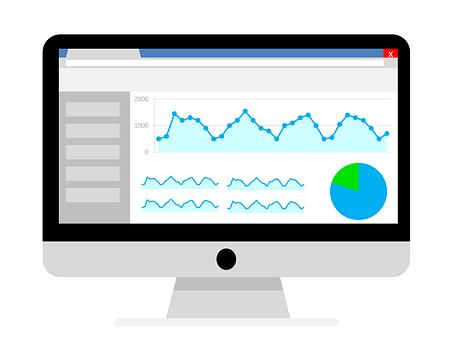
It starts with the needs of the technical implementation that must be done correctly of which the data must be correct. The fact that the information is incorrect can lead to incorrect analysis. A developer also makes the whole process a lot professional as they would measure all the data correctly in Google Analytics.
This
exposure would help us understand multiple enhancement to Google Analytics in
seven ways. This would help institutions
with the ability to interpret and collect data for a more successful startup. This helps inform organizations on the directions they are heading. As it makes them
understand the few details that they should know. This would help them collect data and interpret data more
effectively. It would be easily implemented
as it helps business organizations make better decisions for their businesses.
1. Exposing Hidden Data:

This has to do with the possibilities of exposing the hidden data in the search engine optimization. This happens by default because when the data of the search engine optimization is viewed Google show ‘not set’. This is easily set by the developer connecting the Webmaster tools of Google to the Google Analytics account. So when that is done, the search console is exposed. This would lead to search engine keywords that are very important for the search to begin to appear. Just after a little while, the important data would begin to show up under the Google Analytics reports and Acquisition in the search engine optimization. The progress made can now help institutions to utilize the essential keywords to achieve a better understanding of their search traffic. This would enable them to discover new opportunities and connect at the best time.
2. Tracking with a Single Code:
Business organizations should use a single code for tracking on webpages to achieve maximum flexibility. Financial institutions need to improve on the use of the Google Tag manager. This Tag manager would take control and make it easy for the institutions to have a single tag on their webpage. The capacity for subsequent change on the webpage would be made easy, and there would be no need for unnecessary updates. This would create better control on the scripts as they are programmed on the webpage. This all about taking control and flexibility.
3. Creating Proper Events and Goals:
Business organizations need to understand the importance of setting up the right event and goals and its relevance in the setting up of the Google Analytics profile. This is a very important section in the sense that configuring events can be confusing and challenging as they decide which event to track and conventions to follow. It is essential to set up events as it is unrealistic to connect goal data and events to old data. This is because the appearance of the old data in the reports can be affected by any changes made. Setting up naming event following the process of (category to value), implementing the process of tracking events and making an overall check by making sure that are correctly tracked.
4. Implementing Filter Analytics:
Financial institutions should develop a way of implementing the filter analytics data system. It is better to have the startup landing page of their webpage separated from the user’s pages. This means that the landing pages would be kept in the domain and the startups for the user’s pages. There are multiple reasons for this as the separation helps keep landing page files static, and they become independent from the back-end.
5. Maximizing Segments:
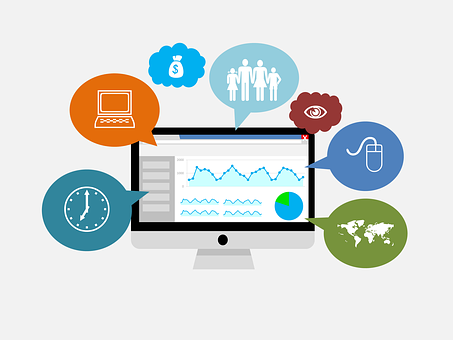
Here comes the use of segments which really come in handy when we talk about the functionality of Google Analytics. This has gone the mile to help institutions on their webpages group prospects as they are similar in their features. It helps the professional users to locate a fortune in their data but makes beginners get misled in as they probe the entire data mountain. Google Analytics consists of some segments that can be utilized right away as it can be of many advantages when setting up their own segments.
6. Setting up Goals:
The business organization has to put the setting of goals in serious consideration. It is vital to create webpage goals after all the event has been put in place. The setting up of webpage goals is crucial and must not be skipped. There are various aspects when they come in handy because they are useful for traffic analysis and the features and attitudes of users on the webpages.
7. Checking Up Reports:
The ability to look up data in reports is essential in enhancing Google Analytics. This goes as far as interpreting the data as it is evident that this is the most important part.
Most business organizations are earnestly looking for the best means to improve the number of traffic that their website attracts. This has led to the process of introducing other tools and plugins to improve the brand content on their webpages. It has also assisted in analyzing the information that is being launched on webpages.